
Signal K
Signal K output publishes supported measurements as deltas through the configured server. It is not raw CAN transport, a general PGN tunnel or a subscription input into Viewer.
Prepare server access
- Stop Sending and choose SignalK in Setup → NMEA2000.
- Enter the HTTP/HTTPS server endpoint. New configurations default to localhost; existing explicitly saved endpoints are retained.
- Choose a distinct publisher source label for simultaneous publishers.
- Use Request Access where appropriate. The Signal K administrator must approve the device before the returned write token can be used.
- Use Test Connection to check readiness without authorizing measurement Sending. Cancel Request/Test stops the pending setup operation.
- Save the approved configuration/token through secure storage; then authorize publication deliberately with Enable Sending in Generate.
Use an appropriate read/write device token approved by the server administrator. A saved token is not proof that access is still valid. Do not embed credentials in the URL or paste them into a Layout, screenshot or log. Use HTTPS outside a trusted laboratory network.
Inspect publication
The publisher maps supported NMEA/instrument fields to Signal K measurements. Not every message or property has a mapping. Self measurements and explicitly identified supported AIS target deltas have different identity handling; this is not arbitrary received-data forwarding, PUT support or subscription.
Read authorization/connection/retry status. The server's own data browser or another permitted client is the independent check of received values. Correct local widgets plus a healthy WebSocket are not proof every field was published.
Recover failures deliberately
- Endpoint unreachable: verify scheme, host/port, server availability and trusted network/tunnel.
- Authorization failure: check administrator approval, token scope and whether it was revoked.
- Missing values: check supported mapping, valid/unavailable input, instrument Enable/interval and global Sending.
- Setup storage error: inspect the OS credential backend; do not expect a plaintext fallback.
Stop/F12 ends publication authorization and pending lifecycle activity. A reconnect/readiness transition must not be confused with a new user's grant. The application does not implement Signal K subscription into Viewer.
Illustrated controls
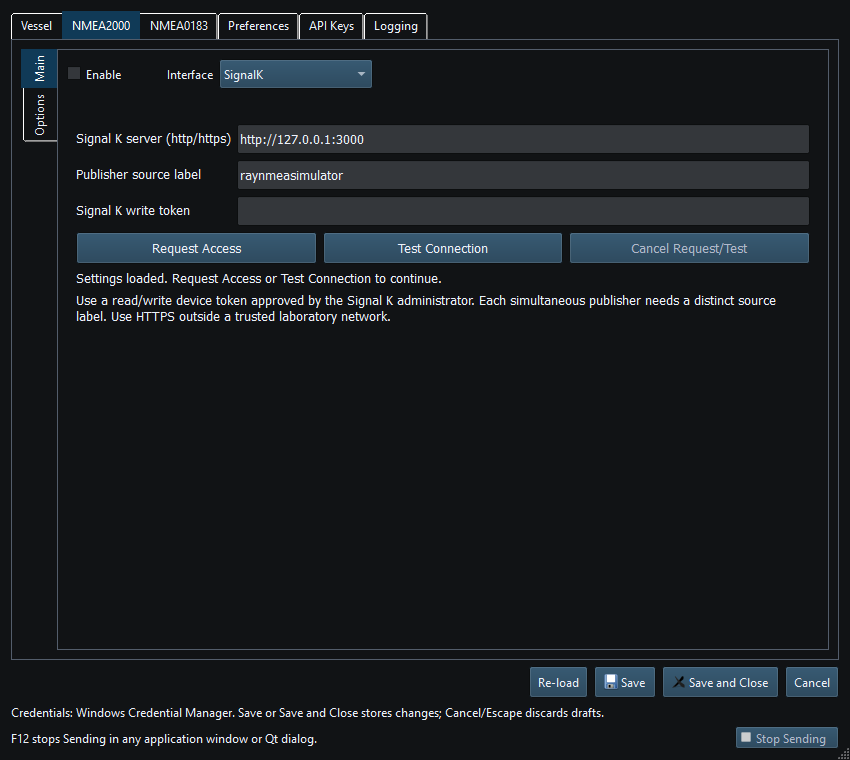
Figure 71. Signal K endpoint and access settings in Setup. Click to enlarge.
Related topics
NMEA2000 Overview · NMEA0183 Overview · Network NMEA2000 · SocketCAN · CANable SLCAN · Waveshare USB-CAN-A · Actisense NGT-1 · Device Discovery and Diagnostics · Connection Troubleshooting · Enable, Dispatch and Sending · Route Overview · Engineering Units