
Using RayNmeaSimulator Safely
Safety
RayNmeaSimulator is intended for software development, bench testing, simulation, training, and controlled equipment evaluation.
Do not use RayNmeaSimulator as a source of navigation, collision-avoidance, vessel-control, engine-control, or other safety-critical information on an operating vessel.
Generated or simulated NMEA 2000, NMEA 0183, AIS, position, heading, speed, depth, engine, route, and other data may appear valid to connected equipment. A chartplotter, display, gateway, logging system, or other receiver may not be able to distinguish simulated data from actual vessel data.
When transmitting generated data:
- Use an isolated or otherwise controlled test network whenever practical.
- Verify the selected connection and connected equipment before enabling Sending.
- Do not connect simulated data to an operational vessel network while underway unless the entire test environment has been specifically isolated from navigation, steering, propulsion, alarm, and other safety-critical systems.
- Do not rely on RayNmeaSimulator, its Autopilot mode, simulated AIS, routes, or generated sensor values for real-world navigation or vessel operation.
- Loading a Layout, Template, route, or received data does not authorize external Sending. Transmission requires explicit user authorization.
- F12 / Stop is an application control, not an emergency-stop or safety system. Already queued or transmitted data cannot be recalled.
RayNmeaSimulator is provided as a Public Engineering Reference — AS-IS. Users are responsible for the configuration, isolation, wiring, network topology, connected equipment, and safe operation of their test environment.
Prepare a session
- Choose Viewer to inspect incoming data or Generate to configure outgoing instrument values.
- Confirm source/instance identity, units and valid or unavailable fields.
- Start with manual values; add generators when you need changing data.
- Check the interface and receiving equipment before explicitly enabling Sending.
- Keep an independent copy of important Layouts, Templates and routes.
Fetching weather or changing modes does not enable external Sending. Generator Enable and Dispatch control local operation and instrument updates; global Sending authorizes external output separately.
Find instructions and application details
Use Contents or Search Help to find a task or message number. Press F1 for context-sensitive Help. Select an illustration to enlarge it and use Fit or 100% to read detailed controls.
Help → About RayNmeaSimulator provides the version, publisher and license notices. Include the version, platform, connection type and status in a support request. Review shared screenshots and logs for private vessel information.
Operational judgment
Follow the connected device's safety procedures. Environmental effects are not a model of all real vessel dynamics.
Illustrated controls
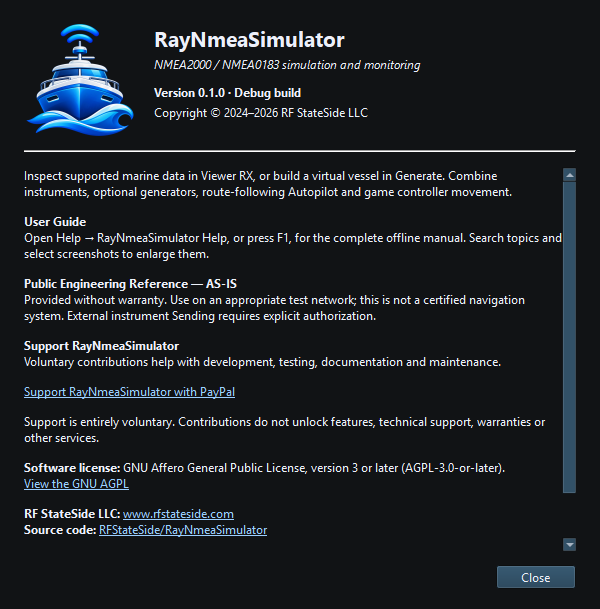
Figure 108. About RayNmeaSimulator shows the version, publisher, license and acknowledgments. Click to enlarge.
Related topics
Engineering Units · NMEA PGNs and Sentences · Security and Privacy · Licensing and Credits · Connection Troubleshooting · Enable, Dispatch and Sending · Route Overview